Introducing Social Sharing
07 February 2011Facebook and Twitter are really starting to flex their muscles in the online marketing space with many business Twittering their goings-on and bringing together and informing their clients through Facebook Groups. To make your HTML email newsletters go that one step further, PropellerMail users can now take advantage of our new Social Sharing feature.
Add a “Like” or “Tweet” button to your newsletter
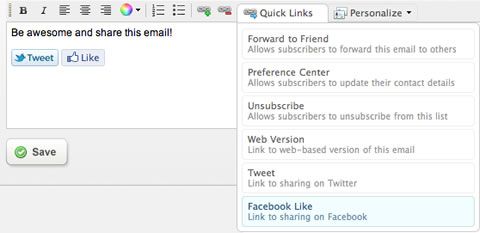
In order to make it super easy for you to share your campaigns on Twitter and Facebook and then see a report of the results, simply click the ‘Quick Links’ box in the newsletter editor and select ‘Tweet’ or ‘Facebook Like’.
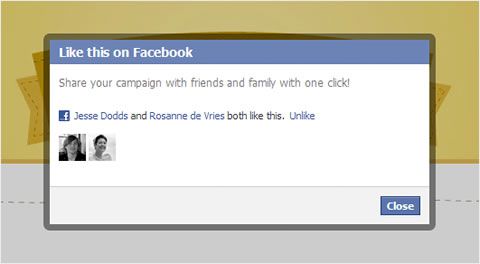
When your subscriber clicks on the Facebook button in their email, we’ll load the following lightbox where they can “Like” your campaign and see which of their friends have also liked it. Here’s an example of this in action:
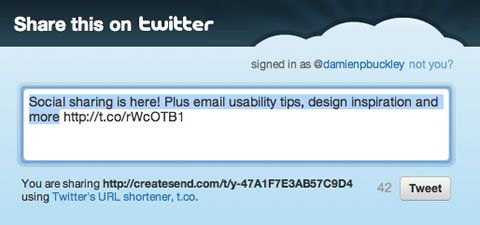
If your subscriber is a Twitter user, clicking the Tweet button takes them straight to a compose window with the tweet pre-populated with your campaign subject and a shortened URL linking to the web version. Here’s how that one looks:
Get the word out from within PropellerMail
Our new social tags aren’t the only way to get the word out about your latest campaign. You can also share them yourselves right from PropellerMail. The report for every email you’ve ever sent now includes a new “Share” button in the top right corner. Here’s how it looks:

Clicking the “Share button” will open the modal popup below, where you can share on Twitter or Facebook with a single click:
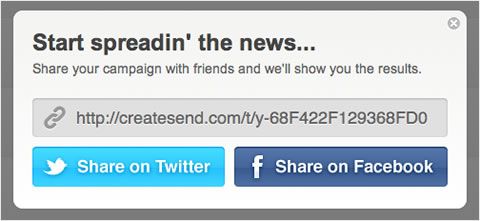
Whenever that URL is mentioned on Twitter or “Liked” on Facebook, we’ll track the results for you. You and your subscribers can share your campaign any way you like and we’ll handle the rest.
Real-time reporting to bring it all together
While there are lots of different ways to share your campaign, we bring it all together with the new Social Sharing report. This includes who tweeted about your campaign, who liked it on Facebook and who forwarded your email on to friends. Basically, whenever anyone shares your campaign, we’ll show you who it was and how they did it.
The report is broken up into two parts. Up top we’ve got a summary of the activity so far across Twitter, Facebook and email forwards.
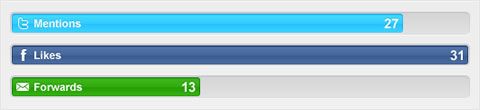
Below that is a real-time list that pulls all of this together into a single activity stream. See what people are saying about your campaign on Twitter, who’s sharing on Facebook and which subscribers have forwarded it to their friends.
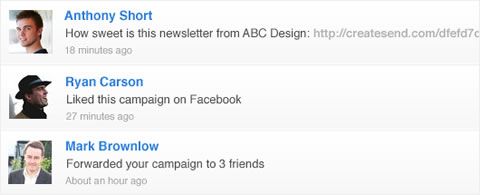
For each subscriber that tweets, we’ll show you their Twitter avatar and a link to the tweet in question. We also link to the subscriber snapshot and display a gravatar if available for anyone who “Likes” your campaign or forwards it on to friends.
There are loads of other subtle features in this report, but I’ll leave some of them for you to discover once you start sharing. We hope you guys have fun with this new feature. It’s a brilliant way to learn more about who is sharing your campaigns with the world, and what they’re saying about you in the process.
Where To From Here?
Feel free to give us a call, email, or use our contact form to discuss your project and how we can help you.


